Stop Using Your iPhone Camera for Photography (Use These Tools Instead)
When most people think about iPhone photography, they immediately think about the camera app. But here's the thing: the best photographers aren't using their iPhones to take photos. They're using them to plan shoots, control their real cameras remotely, solve on-set problems, and keep their workflows moving forward. If we're only thinking about the iPhone as a camera, we're missing about ninety percent of its value as a photography tool.
After shooting many client sessions, street photography projects, and travel photos, we've learned that the iPhone's real power isn't in its lens. It's in everything else. The apps that prevent location disasters. The remote control features that change how we interact with subjects. The problem-solving tools that save shoots from falling apart. And the workflow systems that keep projects moving even when we're nowhere near our computers.
So let's break down exactly how professional photographers actually use their iPhones, and how we can build these same systems into our own work.
Shot Planning Apps That Prevent Disasters
The first way we use our phones has nothing to do with taking photos. It's about planning them before we even arrive on location. And there are specific apps that completely change how we approach a shoot.
Sun Seeker is the app we open before every outdoor shoot. It uses augmented reality to show us exactly where the sun will be at any time of day. We just point our phone at the sky, and it overlays the sun's path across the entire day. No more guessing whether that beautiful spot will have good light at golden hour. No more showing up to a location only to realize the sun is in the absolute worst position for what we're trying to shoot. This single app has saved us from disaster more times than we can count.
Then there's Artemis, which is honestly kind of wild. It's a director's viewfinder app that simulates different camera and lens combinations right on our phone screen. Before we even pack our bag, we can see exactly what focal length we'll need for a specific location. We can preview compositions. We can share shot ideas with clients before the shoot even happens. It's like having every single lens in our kit without having to carry any of them.
And for location scouting, Google My Maps has been a game-changer. This is different from regular Google Maps. It's a web-based tool that allows us to create specific maps with different layers and specific points of interest that we can save. The key difference is flexibility. We can organize locations by shoot type, separate sunrise spots from sunset spots, mark backup locations in case weather doesn't cooperate, and add notes about parking, access restrictions, or specific compositions we want to try.
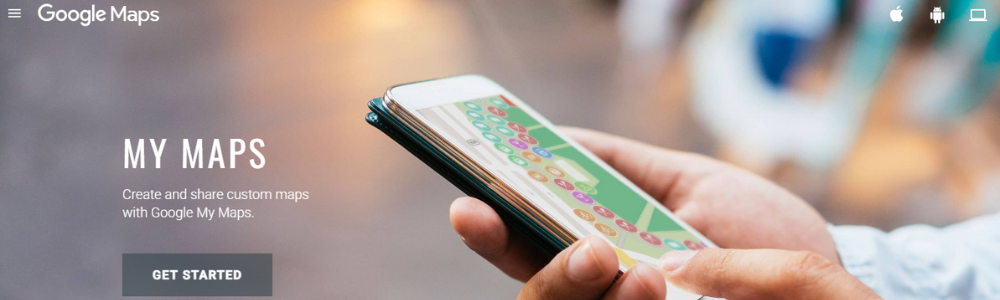
The workflow is simple: we do all the planning on the web version before the shoot, organizing everything into layers and categories. Then when we're actually out shooting, all those saved points show up automatically in regular Google Maps on our phone. We can navigate between locations without fumbling through random pins or trying to remember where things are. This organization can literally be the difference between a smooth, productive shoot and a chaotic mess where we're wasting time trying to figure out where to go next.
These planning apps turn our phones into pre-production powerhouses. But planning is just the beginning.
Remote Control Features That Change Everything
Here's where things get really interesting. Our phones can actually control our cameras remotely, and this unlocks shooting possibilities that are otherwise nearly impossible.
Most modern cameras come with companion apps. Canon has Camera Connect. Sony has Creator’s App. Nikon has SnapBridge. And they all let us do something crucial: see what our camera sees and trigger the shutter from our phone. This sounds simple, but think about what it actually means in practice.
We can set up our camera in a tight space, on a high shelf, or at a weird angle, and still see exactly what we're shooting. We can be in the frame ourselves for self-portraits without doing the old "run back and forth and hope we got it" routine. We can shoot wildlife from a distance without our physical presence scaring animals away. The camera can be in one place while we're controlling it from somewhere completely different.
But the real game-changer is how this changes client interaction. When we're shooting portraits, we can hand the phone to our subject and let them see themselves in real time. They can see what's working, what's not working, and they relax because they're part of the process instead of just being directed. This isn't just convenient. It fundamentally changes the entire dynamic of a shoot. Subjects feel more collaborative, more in control, and less vulnerable.
For product photography or flat lays, we can mount our camera overhead, connect our phone, and adjust composition from below without climbing up and down a ladder fifty times. We've shot entire product catalogs this way. It's faster, more precise, and honestly kind of fun once we get the system dialed in.
There's also third-party apps like Cascable, which give us even more control than the manufacturer apps. We can adjust every camera setting, bracket exposures, do focus stacking, create time-lapses, all from our phone. It's like having a professional wireless tether setup without any actual wires or expensive equipment.
By the way, I wrote about using remotes for your camera and using phone as a remote for your camera in the post about 15 budget accessories that you need for your camera. So if you're interested, go check it out. It's over here.
The phone becomes a remote control, a live view monitor, and a client communication tool all at the same time. And we're not even done yet.
On-Set Problem Solving Tools
On every shoot, problems come up. Light isn't quite right. Color looks off. Something feels wrong but we can't quite figure out what. This is where our phones become actual problem-solving tools that can save a shoot.
Light meters used to be separate, expensive devices that professionals carried in their kits. Now there are apps like Lux for iOS that turn our phone into a surprisingly accurate light meter. We can measure ambient light, check if our planned exposure will actually work, and make informed decisions before we even turn on our real camera. Is it perfect? No. Is it good enough for most situations? Absolutely.
And here's something most people never even think about: our phone's Notes app. Seriously. On set, we can keep shot lists, track which setups we've already completed, note specific lens and camera settings for shots we want to replicate later, and document anything our client specifically requests. Memory is unreliable, especially during a long, complicated shoot with multiple setups. But notes don't lie. We can refer back to exactly what was discussed and what was delivered.
Our phone is basically a Swiss Army knife for solving all the little problems that slow us down and kill our momentum during a shoot.
Workflow and File Management On The Go
The final way we use our phones might actually be the most important: keeping our workflow moving even when we're away from our computers.
For backing up on location, apps like PhotoSync can automatically transfer files from our camera to cloud storage through our phone's internet connection. The workflow is seamless: we shoot, the files wirelessly transfer to our phone via WiFi, and our phone immediately uploads them to Dropbox or Google Drive. We now have an automatic backup system that requires zero extra steps beyond the initial setup. Card failures happen. Cameras get stolen. Having an automatic backup running in the background provides massive peace of mind.
And for client communication, we can use apps like Pixieset or ShootProof to share behind-the-scenes shots or quick previews while we're still on location. Clients absolutely love this. It builds excitement, confirms we got the shot they wanted, and creates opportunities for immediate feedback if something needs to be adjusted before we pack up and leave.

We can even do quick mobile edits in Lightroom Mobile if a client needs something immediately for social media or a time-sensitive announcement. It's not our final, polished delivery. But it keeps the relationship strong and shows we're responsive and thinking about their needs.
Our phone transforms from just a communication device into an actual workflow management system that keeps projects moving forward constantly, even when we're mobile.
Building Smarter Systems
Here's what we've learned after years of balancing photography with demanding careers: the photographers who thrive aren't the ones with the most expensive gear. They're the ones who build the smartest systems.
Our phones are already in our pockets. We're already carrying them to every single shoot. The question isn't whether to use them. The question is whether we're using them intelligently or just letting that potential go to waste.
Shot planning apps like Sun Seeker, Artemis, and Google My Maps prevent the disasters that come from poor preparation. Remote control features change how we shoot and how we interact with clients. Problem-solving tools like light meters, color checkers, and documentation apps save shoots when things go wrong. And workflow management keeps projects moving forward even when we're nowhere near our desk.
The iPhone camera is great. But if that's all we're using, we're missing the bigger picture. The real power is in how these tools work together as a complete system that makes us more efficient, more professional, and more creative.
We already own one of the smartest photography tools ever created. We just need to know how to actually use it.
Taking This Further
If we're serious about building efficient workflows that actually work for busy schedules, these tools are just the beginning. The key is finding the specific combination of apps and systems that fit our unique shooting style and career demands.
Start with one area. Maybe it's shot planning if we struggle with location preparation. Maybe it's remote shooting if we want better client interaction. Maybe it's workflow management if we're constantly behind on deliverables. Pick one area, implement one or two tools, get comfortable with them, and then expand from there.
The goal isn't to use every app that exists. The goal is to build a system that removes friction, saves time, and lets us focus on the actual creative work instead of fighting with logistics and technical problems.
If you're interested in more details on how to set up photos on your iPhone to avoid going crazy, you can have a look at the post over here where I jump straight into that workflow.
Our phones are already capable of doing all of this. We just need to stop thinking of them as cameras and start thinking of them as the comprehensive photography tools they actually are.
